
Top 5 ways to fix iaStorA sys error in Windows 10

Top 5 ways to fix iaStorA sys error in Windows 10
Soon after installing the Windows 10, you might have noticed that you are facing some errors. There is usually a long list of errors that you can face, however this article will deal with one of them particularly. The iaStorA sys windows 10 is an error faced due to a driver functioning improperly. We are here to tell you everything you need to know in order to troubleshoot this error.
Why does Error iaStorA Sys in Windows 10 occur?
The file, in which this error occurs, is a component of a technology by Intel. This Rapid Storage Technology driver is what the PC uses to communicate with the hardware or the software. Below is a list of some major causes for iaStorA sys windows 10:
- Corruption in the IRST drivers.
- Bugs or faults in some third party softwares or apps.
- Virus or bugs in some files saved in the previous version of your Windows.
Pre-Requisites :
When your system faces this error, it might even prevent you to enter the login screen. If that happens, users can apply these troubleshooting methods while operating in the safe mode. Here’s how you can do it:
- Go to Power, from the Win button.
- Click on Restart, while pressing on the shift key.
- From the troubleshoot option, look for the advanced fixes.
- You can then go to the start-up settings and click on restart.
- There you can choose safe mode, from the various boot modes displayed.
How to reslove iaStorA Sys in Windows 10?
Now, that you have changed the mode of your PC, you can begin applying the below mentioned iaStorA sys windows 10 troubleshooting methods, one by one.
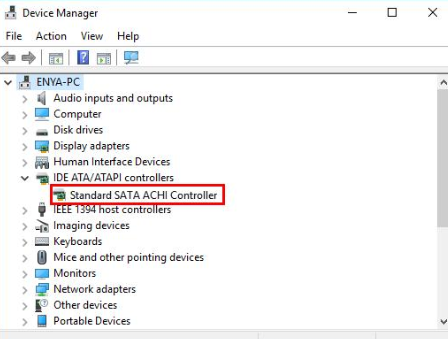
Removing the troublesome drivers
The IRST driver is the most plausible reason behind this error; in order to uninstall it you can follow the following steps:
- From your task bar, go to the Windows option and open run, by a right click.
- Launch the device manager, which contains the location of all the drivers on your system.
- There you will find the IDE ADA controllers, expand them and uninstall each of the drivers on the list individually.
- You can restart the system after this process to save the changes made.
Updating the drivers
The uninstalled drivers from the previous step will be installed once again after you update your operating system. If the iaStorA sys windows 10 still persist, you can begin to update the driver.
- Look for the Device Manager, from the search icon.
- From the list that shows up, you will find the Intel RST driver.
- Click on the update driver option from the adjacent menu and then reboot your system after it is completed.
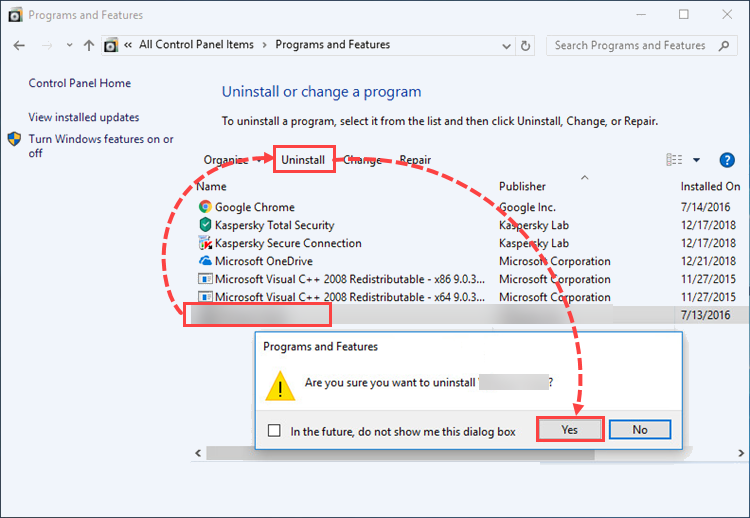
Uninstalling the third party applications
We install anti-virus apps, to protect our systems from all kinds of foreign attacks – but sometimes they can hinder the functioning of genuine software. This can lead to errors during or after the update process, to beat these you should follow the below mentioned steps to uninstall them:
- Open settings and go to the apps option from the apps and features.
- From that pane, you can find all the latest apps downloaded.
- Click on the uninstall option to remove all the apps you wish to remove.
- After restarting the system, you might notice that the iaStorA sys Window 10 has been solved.
Deleting old files
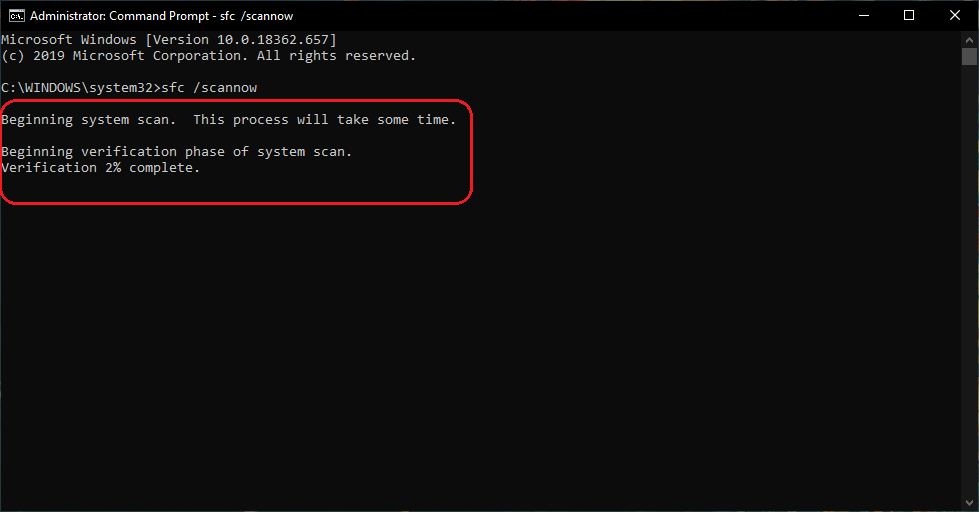
When you install the new windows on your system, sometimes corrupted files and folders of the previous windows can remain and cause this error. To get rid of them, you can either delete the files altogether or run the system file checker command to solve any corrupted files.
Reinstall the Windows
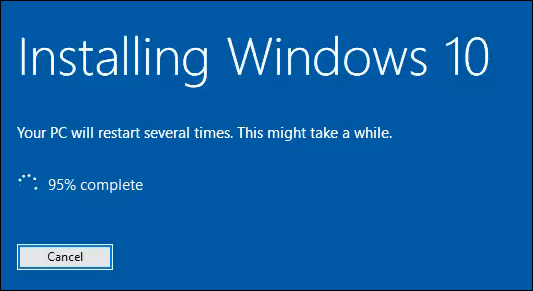
If none of the methods mentioned above work, then the last resort to fix the error would be a clean install of the Windows.
- Go to the official OS download page of Microsoft and click on the download button.
- Then you can proceed to setup the file by clicking on ‘I agree’ and finishing the installation procedure.
- After once again saving the settings, the iaStorA sys Window 10 will be gone.
For more related issues : How to resolve 0x00000101 Error in windows 10? [Fixed] Error 1073740791 in windows 10 How to resolve Klif sys Blue Screen issue in Windows 10? [Solved] Restart Windows Audio Service in Windows How to Fix Error 0x00000667 in Windows 10

DISCLAIMER :
We are an independent, third-party informational and lead-generation website for computer, software, and technical support services. We are not an official or authorized service center, representative, partner, or affiliate of any brand mentioned on this website.
We do not directly provide technical support, repairs, troubleshooting, installations, data recovery, virus removal, or other technical services. Any services are provided independently by third-party service providers.
All brand names, logos, trademarks, and product names belong to their respective owners and are used solely for identification and informational purposes. No affiliation, endorsement, sponsorship, or authorization is claimed or implied.
Before purchasing any service, users should independently verify the provider's official website, pricing, terms, cancellation/refund policies, and service details. All payments, billing, service delivery, warranties, refunds, and customer support are the sole responsibility of the selected third-party provider.
For your security, we will never request your credit/debit card PIN, OTP, online banking password, or remote-access credentials. Do not share such information with anyone claiming to represent us.
By using this website, you acknowledge that we operate solely as an independent informational and lead-generation platform and are not responsible for the services, products, pricing, billing, or performance of any third-party provider.
Leave a Comment